This is an impromptu article that was born of a need and a surprising outcome. Greg
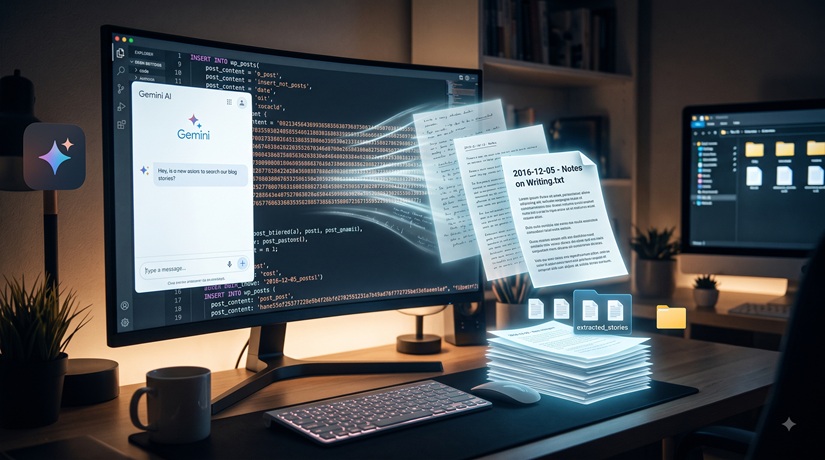
If you’ve been writing online for any length of time, chances are you have a digital graveyard somewhere — a long-forgotten blog or something similar. For me, it was a WordPress site that went back to 2014. A lot of the stuff was obsolete, so I took a backup and then built this wonderful site you now see.
Then I thought, ‘I wouldn’t mind having some of those old articles posted here.’ However, as I turned to my .sql backup file of the old WordPress blog, I realised that recovering them would not be as easy or fast as I thought. Years of posts, thoughts, and early creative writing were locked away inside thousands of lines of raw database code — a tangled mess of CREATE TABLE, INSERT INTO, HTML tags, and database metadata.
I knew the stories were in there somewhere, but the thought of manually sifting through raw database dumps or trying to spin up an entire local web server just to read a few old drafts was enough to keep that backup file sitting untouched for nearly a decade.
Then I decided to try something different: I brought the raw database file to AI — specifically my Gemini AI, which I found is pretty good with techy stuff like this.
From Glitchy Code to Clean Text
At first, I wasn’t even sure if it was viable. Database backups aren’t meant to be read by human eyes; they’re designed for MySQL servers to execute. So I uploaded the file and said to Gemini:
This is a text version. It is sql from the backup of my old website. I want to be able to retrieve stories from it and use you to help. Is that viable?
Instead of having to manually search through thousands of lines of text or struggle with database management tools, Gemini immediately recognised the structure of the WordPress database. It pointed out that while my comments and metadata were cluttering the top of the file, the actual posts were tucked neatly inside the wp_posts table.
Building a One-Click Extraction Tool
I wanted to ask the AI to read through the massive file line-by-line in the chat window. Gemini, however, gave me an alternative (and a smarter) approach. It suggested it write a quick, custom Python script tailored specifically for my Windows setup.
The script was designed to:
- Scan the SQL dump file specifically for published blog posts.
- Ignore all the system noise—drafts, site revisions, attachments, and spam comments.
- Strip out the old HTML markup and convert WordPress formatting into clean, readable plain text.
- Automatically name and save each post as an individual
.txtfile using its original publish date and title (e.g.,2014-12-05 - Notes on Writing.txt).
Within seconds of running the script, a folder appeared on my desktop filled with every single story I’d written years ago — neatly organised, readable (albeit still with some formatting codes), and ready to be revisited. After that, I asked CoPilot to remove the remaining formatting code that was still in the text — felt I needed to share the love around my AIs.
The Real Magic: AI as a Creative Partner
What astonished me wasn’t just that an AI could easily write a script to extract data — it was how it understood my need and was able to give me a good option to proceed instead of just robotically doing what I asked of it.
Technology often comes with a steep learning curve or technical friction that stalls creative momentum. But in this interaction, the AI acted as a bridge between complex code and creative intent. It took a technical hurdle that had kept my old writing locked away for years and solved it in minutes.
Now, those old stories are out of the database vault and back on my screen. I’m looking forward to revisiting those early ideas, polishing them up, and sharing them here once again.
If you have an old WordPress website backup sitting in a dusty folder on your hard drive, don’t write it off. Your past work might be closer than you think!